
Case study · Personal product
AppHalt: design and development
A personal macOS utility for pausing selected applications when idle, then resuming them.
All projects- Organisation
- Personal product
- Role and period
- Design and development · Gabriel Nion
- Scope
- macOS application
The problem
An app can stay open while unused. Quitting removes its working context; leaving it active may keep background work running. AppHalt offers a third state: temporarily pause a chosen app, then resume it.
My role
I designed and developed AppHalt. I also maintain its documentation and updates. End-to-end ownership means making the product’s technical limits understandable.
A reversible, legible action
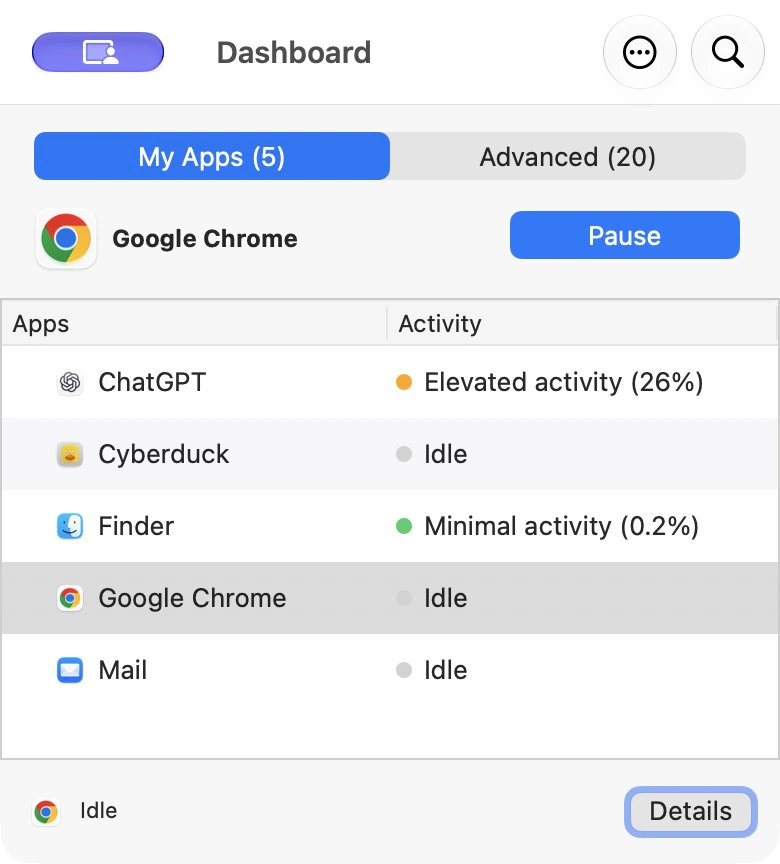
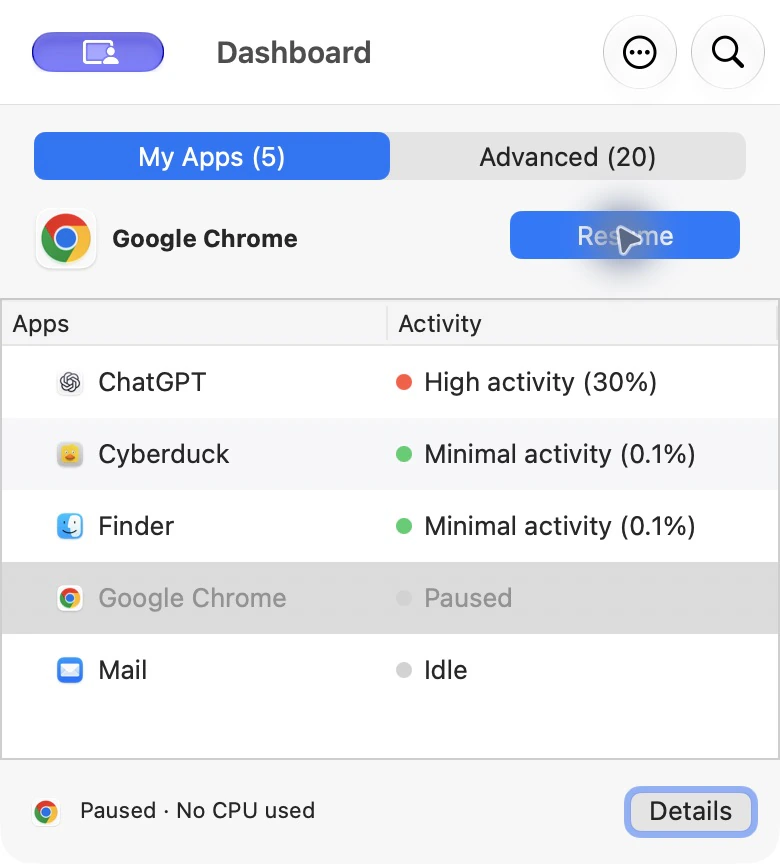
The Dashboard shows detected apps. Before pausing, the action is “Pause”. Afterwards, the app remains visible and the action becomes “Resume”. These states show the consequence without suggesting that the app was closed.
Control before automation
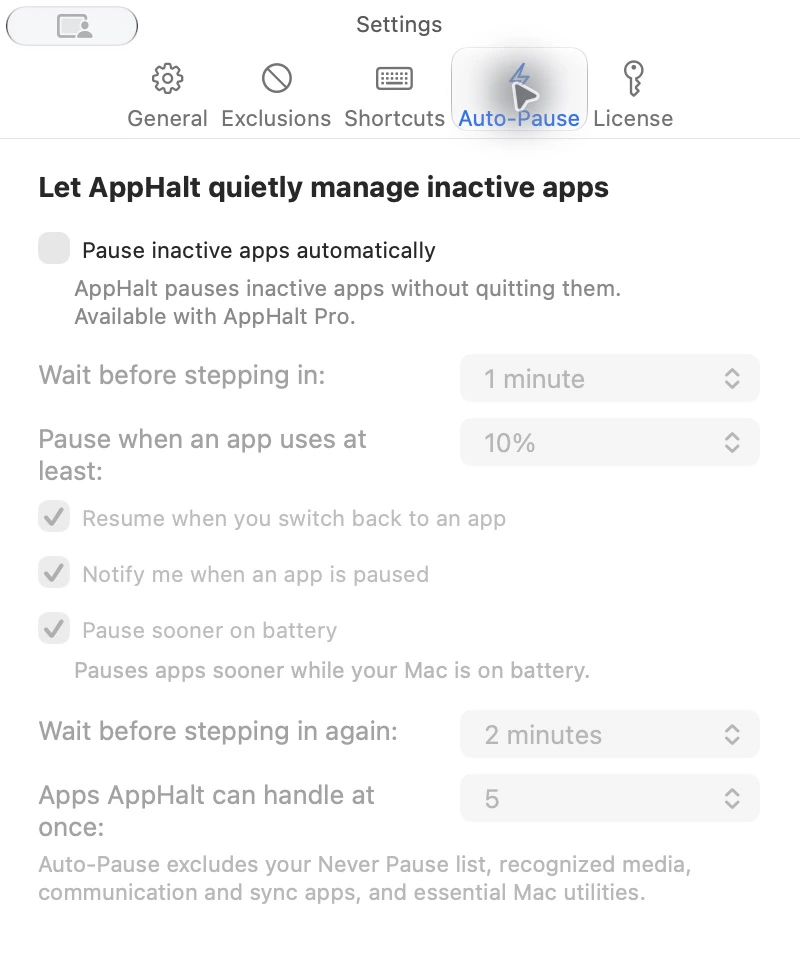
Manual pause lets someone start with a familiar idle app. Pro adds Auto-Pause, exclusions and groups. Settings must let important apps keep running during a call, transfer, backup or other live work.
Explain before enabling
The Quick Guide recommends trying one non-essential idle app with no live operation underway. The documentation explains that a paused app may remain in memory and a network service may need to reconnect. That explanation is part of the experience, not an afterthought.
From design to product
AppHalt is distributed as a signed and notarized macOS app with a website, download and Quick Guide. I evolve the interface and explanations alongside the software. The product makes no fixed promise of battery or performance gains.